
Your SketchUp model reads as a diagram, and the client sees a diagram
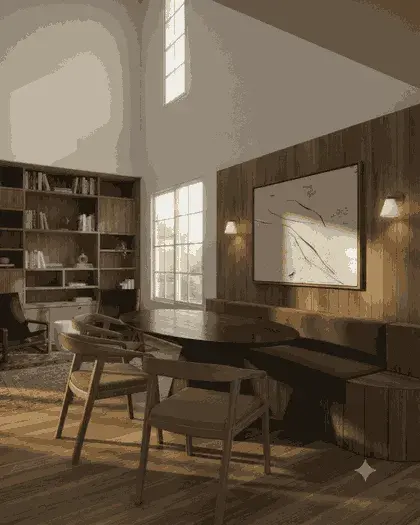
A SketchUp model is built to be understood by someone who reads drawings. The client in the room usually is not that person, and the gap between what you modelled and what they picture is where a review meeting goes sideways. This takes the view you already have on screen and returns a photoreal still of the same building — same walls, same proportions, same camera — so the conversation is about the design rather than about what the grey boxes mean.
SketchUp (any recent version)
How the SketchUp plugin handles it
Set the view up the way you would present it
Turn shadows on and pick the style you want to keep. SketchUp exports what is on screen, so the display settings you leave on are the ones that travel — this is the step that decides whether the render inherits a clean model or a cluttered one.
Send to VotexArch from the Extensions menu
The plugin adds a menu command and a toolbar button. It exports the current view and opens VotexArch on the workspace tab you picked, with the image ready to upload.
Describe the materials, not the building
The prompt controls finishes, light and mood. Geometry is constrained to your source view, so asking for a different massing will not get you one — which is the property that makes the output usable in a review rather than merely attractive.
What SketchUp hands over
SketchUp hands over a flat image with its shadows and display style already baked in, which is a genuine advantage here: the sun position you set in the model is the light the render starts from, so a north-facing elevation stays north-facing. It also means a scene left in Monochrome or with section cuts active exports exactly that, section planes and all. Check the viewport before you send it rather than after the credits are spent.
The thing that goes wrong
The most common bad result comes from sending a view with the camera set very wide. SketchUp tolerates a 100-degree field of view on screen and it reads as normal while you model; a render inherits that distortion and the facade comes back visibly bowed. Set the camera to something you would actually photograph with — around 35 to 50 degrees — before exporting.
Do you preserve geometry?
Yes. Every render pass is constrained to your source geometry and camera position, so walls, proportions, and perspective stay locked instead of being reimagined by the model.
Models available for this
Every model draws from the same credit balance, and a credit is only spent on a successful generation.
- Votex SR Pro10 cr / image
- Votex SR Precision8 cr / image
- Votex SR 2.16 cr / image
- Votex SR Batch10 cr / image
- Votex Concept 4K2 cr / image
Questions
- Do I need to model materials in SketchUp first?
- No. Untextured or monochrome massing works, and is often the better input: the prompt controls finishes, so a clean model gives the render less to argue with. Materials you have already applied are respected as intent, not as a requirement.
- Can I use a scene with section cuts active?
- Yes, and it exports exactly as it appears including the section plane. That is useful if you want a sectional perspective rendered, and a surprise if you forgot the cut was on — check the viewport before sending.