
Revit gives you a correct model and an unpersuasive image
Revit is exact about everything a contractor needs and indifferent to everything a client responds to. Producing something presentable usually means exporting to another renderer, rebuilding materials there, and maintaining that second scene every time the model moves. This goes from the active view to a photoreal still without the round trip, and keeps the geometry the model already got right.
Revit + pyRevit (free) -- no compiling
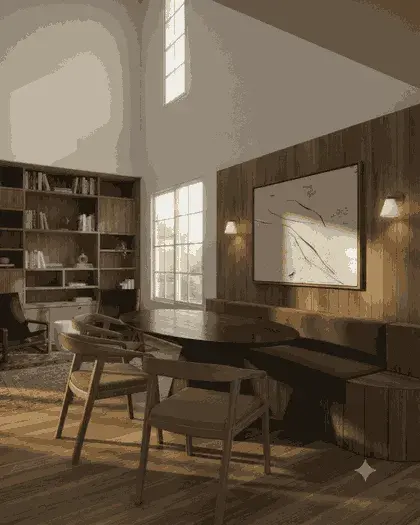
How the Revit plugin handles it
Pick the view, and mind the view template
Whatever the active view shows is what gets exported — including the template controlling line weights, detail level and visibility. A view set to Coarse exports coarse geometry, and the render faithfully reproduces the simplification.
Press Send View in the VotexArch ribbon tab
The plugin adds a tab with a single button. It exports the active view to a PNG you choose the location for, then opens VotexArch on the workspace tab you picked.
Render, then bring it back into the set
The output is a standard image file, so it drops into a sheet, a presentation or an email without anything else being installed.
What Revit hands over
Revit exports with its view template applied, which is the detail that most often explains a disappointing first result: detail level, visibility settings and line weights all travel with the image. A 3D view at Fine with shadows on gives the model far more to work with than a default {3D} view at Coarse. Unlike SketchUp, Revit is also perfectly happy to export a view with no sun study set at all, which produces flat lighting the render then has to invent its way out of.
The thing that goes wrong
Exporting a hidden-line 3D view and expecting material realism is the usual mistake. Hidden-line gives the model clean edges and no tonal information, so the result leans almost entirely on the prompt and drifts from what you drew. Use a shaded or realistic view with shadows enabled — the geometry constraint works from tone as well as edges.
Do you preserve geometry?
Yes. Every render pass is constrained to your source geometry and camera position, so walls, proportions, and perspective stay locked instead of being reimagined by the model.
Models available for this
Every model draws from the same credit balance, and a credit is only spent on a successful generation.
- Votex SR Pro10 cr / image
- Votex SR Precision8 cr / image
- Votex SR 2.16 cr / image
- Votex SR Batch10 cr / image
- Votex Concept 4K2 cr / image
Questions
- Does this need the Revit API or Visual Studio?
- No. It runs on pyRevit, the free scripting framework, so the plugin is a single Python file rather than a compiled add-in. There is no .NET SDK to install and nothing to build.
- Will it work from a section or elevation view?
- Yes — any view Revit can export as an image can be sent. Elevations and sections render well when they carry tonal information; a pure line drawing gives the model very little to hold on to.