
The client approved one Archicad view. Now they want to see it move
Once a view has been approved, the last thing anyone wants is a new camera path that reopens the conversation. This starts from that exact view: render it to a still, describe a modest camera move — a slow push in, a short drift along the facade — and get a clip that moves through the image the client already agreed to, rather than through a fresh fly-through of the whole model.
Archicad + Python 3.10+
How the Archicad plugin handles it
Capture the approved view
Put the approved camera in Archicad’s 3D window, maximise it, and use Save & Open in the companion window. It screenshots the Archicad window, so crop the toolbars off the PNG.
Render the still first
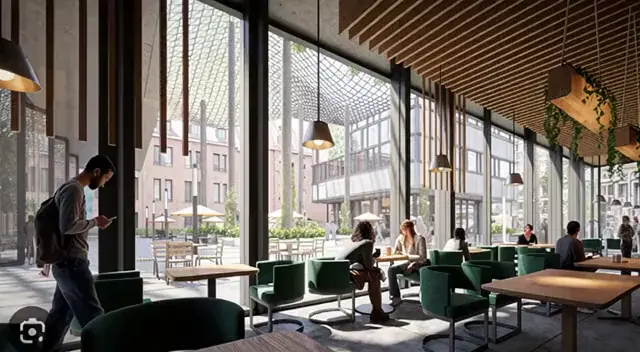
Run the capture through Renders. A walkthrough starts from a finished still, and a clean render gives the clip far more to work with than a screenshot of a shaded window.
Describe one camera move
In Walkthroughs, attach the render and describe a single move — a slow dolly forward, a gentle pan along the elevation. One clear move reads as cinematography; three read as a drone out of control.
What Archicad hands over
Archicad’s own route to motion is a fly-through path rendered frame by frame, which means setting up a path and a render for every frame. Here nothing in Archicad animates: the model only supplies the approved still, and the motion is generated from that image. That is why the clip stays inside the composition the client saw.
The thing that goes wrong
Because the clip is generated from one image, a long move invents what the still never showed — the side of the building behind the corner, the room beyond the door. Keep moves short and in the direction the view already faces; an orbit past the edge of the frame is where invented geometry appears.
Do you preserve geometry?
Yes. Every render pass is constrained to your source geometry and camera position, so walls, proportions, and perspective stay locked instead of being reimagined by the model.
Models available for this
Every model draws from the same credit balance, and a credit is only spent on a successful generation.
- Kling 2.5 Turbo Pro7 cr / second
- Veo 3.110 cr / second
- Gemini Omni Flash 1.110 cr / second
- FLUX 3 Image to Video17 cr / second
Questions
- Can I animate straight from the Archicad capture without rendering?
- You can upload any still, but the capture is a screenshot of a shaded 3D window with interface around it. Rendering it first gives the walkthrough a photoreal starting frame, and the clip can only be as convincing as the frame it starts from.
- How is a walkthrough billed?
- Per second of clip produced, so a four-second establishing shot costs what a four-second shot should. The per-second rate for each model is listed on the Walkthroughs tool page.