
Your Archicad model is right, but the 3D window still looks like a model
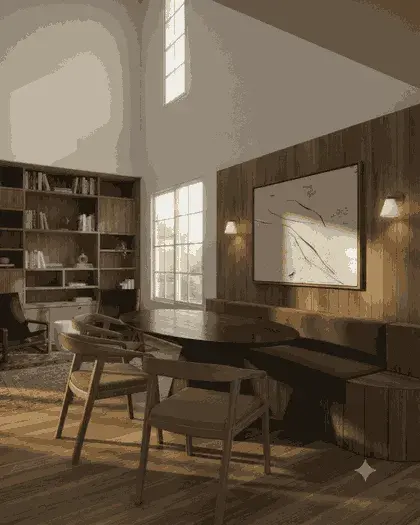
Archicad can render, but getting a presentable image out of it means lights, surfaces and a render setup that most teams only touch before a deadline. This takes the 3D window you already have open and returns a photoreal still of the same building from the same camera, so a client review can happen on a Tuesday without anyone learning a render engine first.
Archicad + Python 3.10+
How the Archicad plugin handles it
Frame the view in the 3D window
Set the camera in the 3D window and close or collapse any palettes lying over it. The companion app takes a screenshot of the Archicad window, so whatever is covering the view is what gets sent.
Save & Open from the companion window
In the small "VotexArch for Archicad" window, pick the Renders tab and click Save & Open. Choose where the PNG goes; your browser then opens on that tab.
Crop to the viewport, then upload
The capture includes Archicad’s own toolbars around the view. Crop those off before uploading, or the model will try to render the interface as part of the building.
Describe finishes and light
The prompt sets materials, time of day and mood. The massing, openings and camera come from your capture and are not what the prompt changes.
What Archicad hands over
Unlike the Rhino and Revit plugins, the Archicad one does not export a clean image. Archicad’s JSON API has no documented command to render a view to a file, so the companion app captures the window’s on-screen pixels instead. That makes the capture only as sharp as your screen and only as clean as the window: maximise the 3D window and hide palettes before you save.
The thing that goes wrong
Minimising Archicad or leaving another window over it breaks the capture — a minimised window cannot be captured at all, and the app says so rather than saving a blank image. Bring Archicad to the front and keep it there until the Save dialog appears.
Do you preserve geometry?
Yes. Every render pass is constrained to your source geometry and camera position, so walls, proportions, and perspective stay locked instead of being reimagined by the model.
Models available for this
Every model draws from the same credit balance, and a credit is only spent on a successful generation.
- Votex SR Pro10 cr / image
- Votex SR Precision8 cr / image
- Votex SR 2.16 cr / image
- Votex SR Batch10 cr / image
- Votex Concept 4K2 cr / image
Questions
- Do I need to set up lights or surfaces in Archicad first?
- No. The capture is of the shaded 3D window as it is, and the lighting and materials in the result come from your prompt. Surface settings in Archicad only matter in so far as they change what the 3D window shows.
- Why does the Archicad plugin run as a separate window?
- Adding a menu command inside Archicad requires compiling a native Add-On against Graphisoft’s C++ development kit. A small Python window kept open alongside Archicad does the same job — save a view, open the browser — without that toolchain.