
Complex Rhino geometry, and no time to build a render setup around it
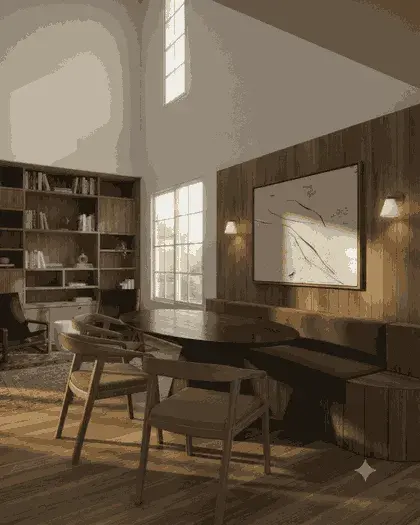
Form-driven Rhino work tends to reach a client long before anyone has assigned materials, and a shaded viewport flattens exactly the surfaces that make the scheme worth looking at. This takes the active viewport as it stands and returns a photoreal still of the same geometry from the same camera, so curvature reads as material rather than as a grey gradient.
Rhino 6, 7, or 8
How the Rhino & Grasshopper plugin handles it
Pick the viewport and display mode
Make the viewport you want the active one and choose its display mode. The plugin captures that viewport as it is drawn — shaded, rendered or wireframe — so the mode decides what the model is given.
Click the VotexArch toolbar button
Choose the Renders tab from the list and a save location. The capture is written to PNG and the browser opens on that tab.
Let it upload, or attach it yourself
After a one-time browser sign-in the plugin uploads the capture for you. If you decline sign-in, the file is still saved and you attach it by hand.
Prompt for materials, not form
Name the finishes and light. The surfaces and their curvature come from the capture, which is the point: the prompt cannot redraw a form you spent a week resolving.
What Rhino & Grasshopper hands over
Rhino is the one CAD here whose plugin produces a genuine render export rather than a screenshot: it uses RhinoCommon’s ViewCapture on the active viewport. Grasshopper needs nothing separate: bake the result and it is ordinary document geometry, captured exactly like anything modelled by hand.
The thing that goes wrong
Curved NURBS surfaces are drawn from a render mesh, and a coarse mesh shows facets along every curve in shaded mode. The model faithfully renders those facets as if they were designed. Tighten the render mesh settings before you capture any doubly curved surface.
Do you preserve geometry?
Yes. Every render pass is constrained to your source geometry and camera position, so walls, proportions, and perspective stay locked instead of being reimagined by the model.
Models available for this
Every model draws from the same credit balance, and a credit is only spent on a successful generation.
- Votex SR Pro10 cr / image
- Votex SR Precision8 cr / image
- Votex SR 2.16 cr / image
- Votex SR Batch10 cr / image
- Votex Concept 4K2 cr / image
Questions
- Does it work with Grasshopper definitions?
- Yes — bake the result first. Baked geometry is ordinary Rhino geometry and is captured like anything modelled by hand, with the materials and display mode you choose rather than Grasshopper’s preview colour, which reads poorly as a material.
- Which Rhino versions are supported?
- Rhino 6, 7 and 8. The script uses only rhinoscriptsyntax, RhinoCommon and the Python standard library, so there is nothing to pip install and it is not tied to one version’s Python engine.