
An early Revit scheme that must not be mistaken for the final design
Revit makes everything look decided. Even a first-pass model comes out with crisp mullions and exact floor levels, and a client shown that image assumes it is fixed. This redraws a Revit 3D view as a presentation sketch — fineliner, loose watercolour, painted planting — so the scheme reads as a proposal that is still open for discussion, while keeping the geometry you actually modelled.
Revit + pyRevit (free) -- no compiling
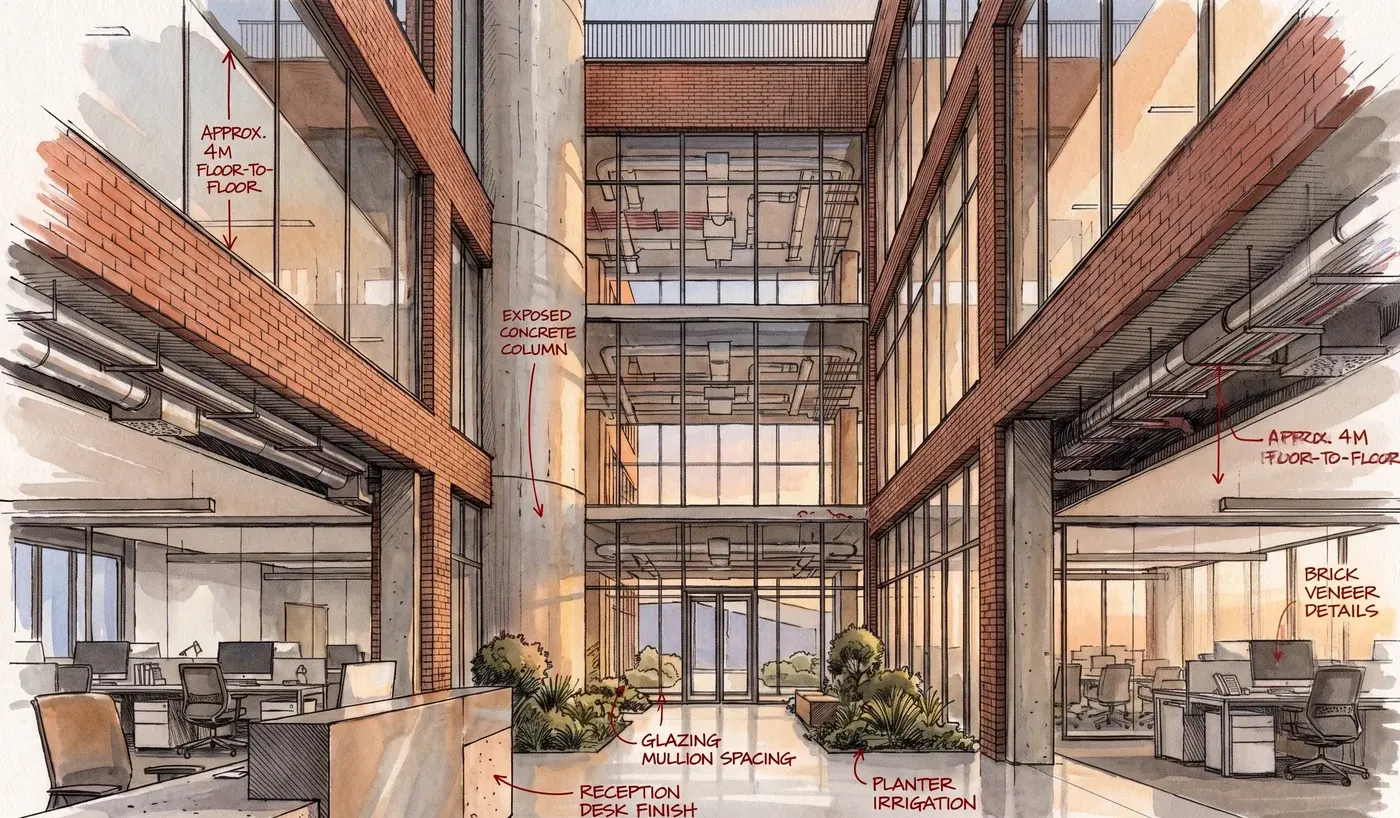
How the Revit plugin handles it
Set Detail Level to Coarse
In the 3D view, drop the detail level to Coarse. Fine detail brings through mullion profiles and hardware that make a sketch look finished, which is the opposite of the point.
Send View, choose Sketch
Click Send View on the VotexArch ribbon tab and pick Sketch & Presentation. Save the PNG and attach it on the tab that opens.
Leave the prompt short
The drawing brief is built in. Add only what matters — a season, a street scene — and let the sketch stay loose; a long prompt pulls it back toward a render.
What Revit hands over
Revit’s image export takes the view exactly as its settings define it, so the view is the control: detail level, visual style and visible categories decide how much the sketch has to draw. A Coarse, shaded view with annotation hidden is the combination that keeps the drawing loose.
The thing that goes wrong
Section boxes cut the model with a hard straight edge, and the sketch draws that edge as a deliberate line through the building. Turn the section box off for sketch views, or crop the view so the cut sits outside the frame.
Do you preserve geometry?
Yes. Every render pass is constrained to your source geometry and camera position, so walls, proportions, and perspective stay locked instead of being reimagined by the model.
Models available for this
Every model draws from the same credit balance, and a credit is only spent on a successful generation.
- Presentation Sketch10 cr / image
- Presentation Sketch Pro14 cr / image
Questions
- Does it matter which Revit visual style I use?
- Shaded or consistent colours give the sketch surfaces to wash colour into. Hidden line gives it only lines, which tends to produce a drier, more technical drawing — fine for some boards, but less like a hand sketch.
- Is the sketch changing my design?
- No. The geometry and camera come from the exported view; the drawing style is all that changes. It is a way of presenting the model, not a way of redesigning it.